One-time for 1 person
Level
Level
Time to Complete
Lessons
Language
English
Rating
(
7 Reviews)
Updated:
Master 2D Animation with Adobe Character Animator – From Zero to Pro
Requirements
-
A subscription to the Adobe Creative Cloud to access Character Animator, Photoshop, After Effects and Premiere
-
No animation experience is necessary. The app is meant to be user friendly for newcomers and we will be going step by step
Description
Adobe Character Animator is a unique app that can produce animated characters with ease. With a few clicks to setup, you can control a cartoon character with your mouse and keyboard. Not only that, you can use your microphone and web cam to create true motion captured characters that come to life with a wide range of assigned behaviors. You will learn how to take all this and record an animation to be shared or edited with another app.
More specifically, in this course, you will learn how to:
-
Properly layout a Photoshop character for easier Character Animator setup
-
Tag layers for lip syncing and facial behaviors
-
Tag and define body parts for limb movements
-
Add special handles such as draggers to allow interactivity with the mouse
-
Create triggers for hide-able layers
-
Create Swap Sets for multi-phase layers, such as hand poses
-
Auto lip sync in the application
-
Lip sync using external audio
-
Record a puppet using full motion body tracking
-
Create a puppet that can turn their head and body
-
Edit recorded actions
-
Work with backgrounds
-
Work with multiple puppets
-
Learn about the Stream tab for OBS performances
-
Edit your animation with Premiere and After Effects
-
Export animations through Adobe Media Encoder
By the time you’re done with this course you should be able to lay out your own PSD based characters, properly tag, fix errors and animate them using your mouse, keyboard, face, voice and body.
Who this course is for:
- Beginners to animation looking to create their first project
- Individuals looking for creative business advertising solutions
- Streamers looking to add an animated avatar to their showcases
- Animators looking for a new way to approach animation
Enrolled by
What You’ll Learn?
Course Syllabus
Introduction to Photoshop Tools and Interface
Basic Concepts
Lesson Video Designing Environment and Characters in Photoshop
Lesson Video Rigging Custom Characters in Adobe Character Animator
Lesson Video Advanced Rigging Concepts
Lesson Video Creating and Rigging Additional Elements
Lesson Video Lip Syncing with Adobe Character Animator
Lesson Video Introduction to Adobe After Effects
Lesson Video Performance-Based Animation
Lesson Video Final Edits and Exports
Certification
Professional certificate of completion
Meet Your Instructor
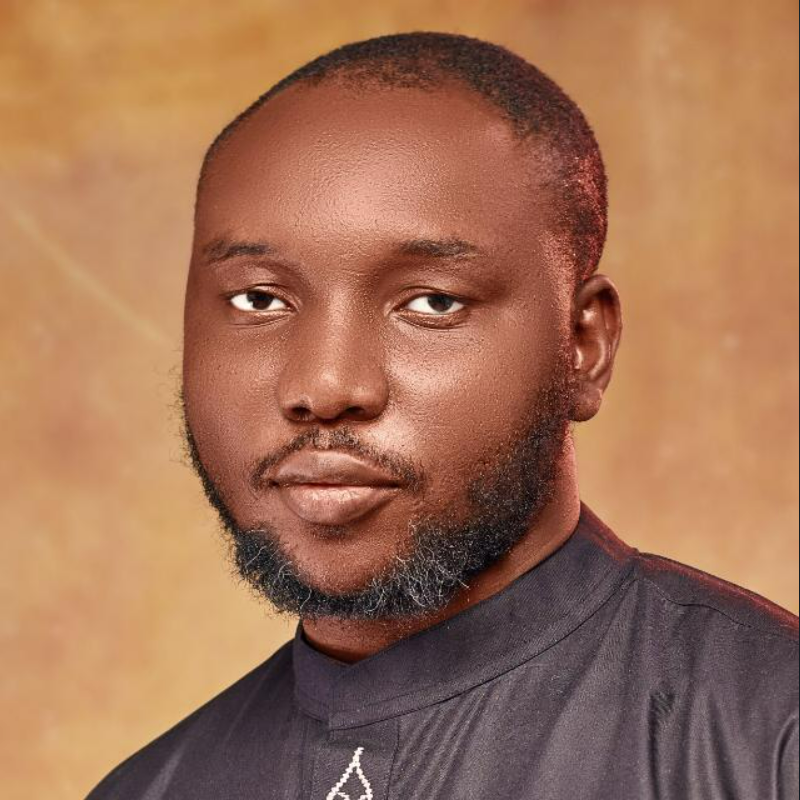
👋 Hello! I’m Onoja Michael Jacob
I’m a professional Graphic Designer and Animator with over 5 years of hands-on experience in the creative industry. I’ve had the privilege of working on a wide range of projects for reputable clients such as nHub Nigeria, Blue Algorithm, Genlink, and OddAxis Studio, delivering creative solutions that combine design excellence with real-world impact.
As both an educator and freelancer, I’ve taught in classrooms, seminars, and webinars—empowering hundreds of students with the skills they need to thrive in today’s digital world.
I specialize in the Adobe Creative Suite, with expert-level proficiency in:
-
Photoshop
-
Illustrator
-
InDesign
-
Character Animator
-
After Effects
-
Media Encoder
Whether you're new to design or looking to sharpen your creative edge, I’m here to guide you step-by-step.
🎓 Enroll today — let’s start building your creative future together!
Student Review
(
7 reviews)

Similar Courses
One-time for 1 person
Level
Time to Complete
Lessons
Language
English
Rating
(
7 Reviews)
